JSON Form Builder and Form Library for Bootstrap 5
Build and render JSON-based forms in your Bootstrap application. The SurveyJS theme adapter maps SurveyJS design tokens to Bootstrap variables, so forms and the drag-and-drop builder follow your application’s visual style without custom renderers.
- Bootstrap 5.3+
- React
- Angular
- Vue
- Vanilla JS
- JSON-based forms
- Backend-agnostic
See the Bootstrap Adapter in Action
Compare the same form rendered with SurveyJS and native Bootstrap components to see how the adapter maps the active Bootstrap styles to SurveyJS.


How SurveyJS Themes Work
Components keep the same markup and CSS rules. Themes change the variable values those rules consume.
SurveyJS Component CSS
Design Tokens (--sjs2-*)
Theme Values
Rendered Components
How the Bootstrap Adapter Remaps SurveyJS Tokens
The adapter does not modify Bootstrap or replace SurveyJS components. It makes SurveyJS variables resolve to host values.
Load the adapter after the SurveyJS base stylesheet. Its token mappings override the baseline SurveyJS theme values and connect them to the active Bootstrap variables.
Bootstrap Host Application
--bs-* variables belong to Bootstrap and its themes:
- --bs-primary: #0d6efd
- --bs-body-bg: #ffffff
- --bs-border-radius: .375rem
bootstrap-default.css
Example token mappings:
- --sjs2-color-bg-brand-primary: var(--bs-primary);
- --sjs2-color-bg-basic-primary: var(--bs-body-bg);
- --sjs2-radius-form: var(--bs-border-radius);
SurveyJS Components
Consume the values:

When Bootstrap Variables Change, SurveyJS Follows
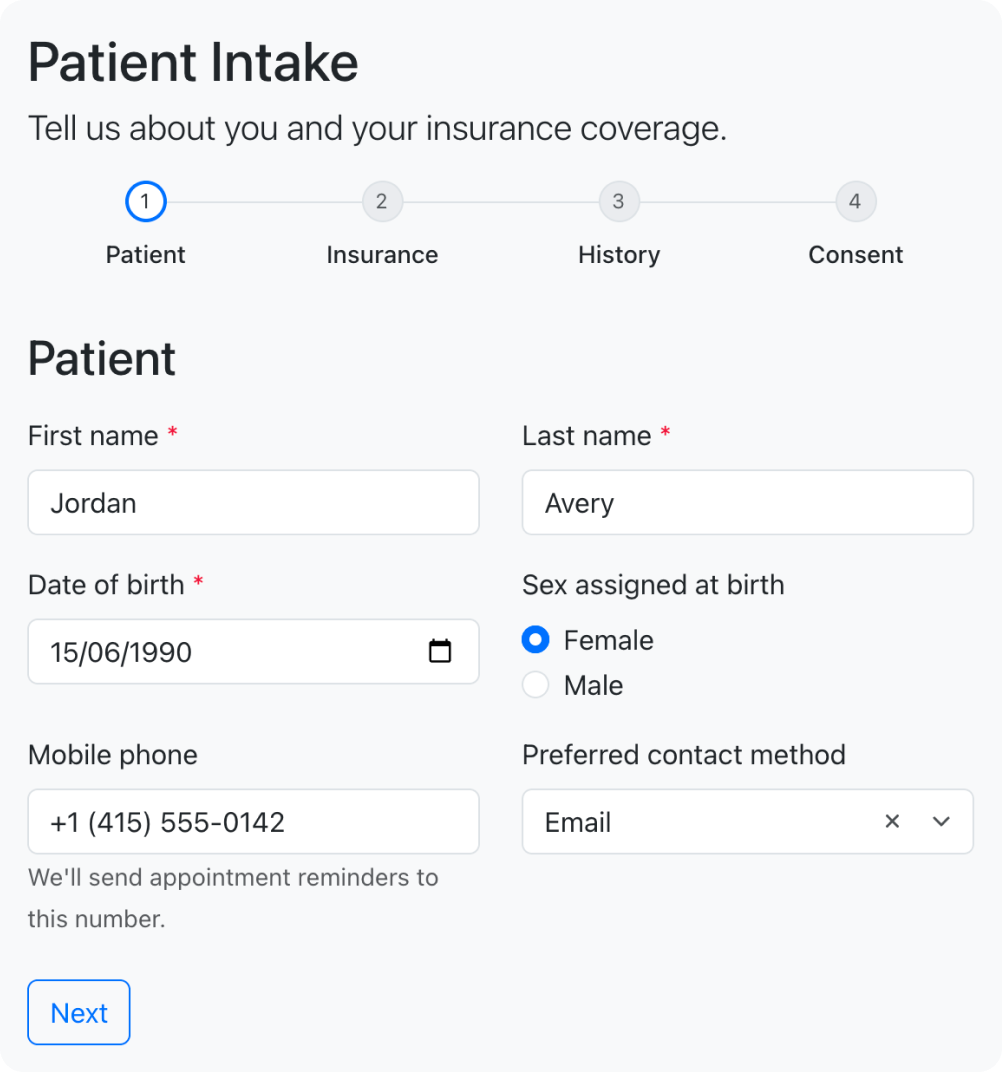
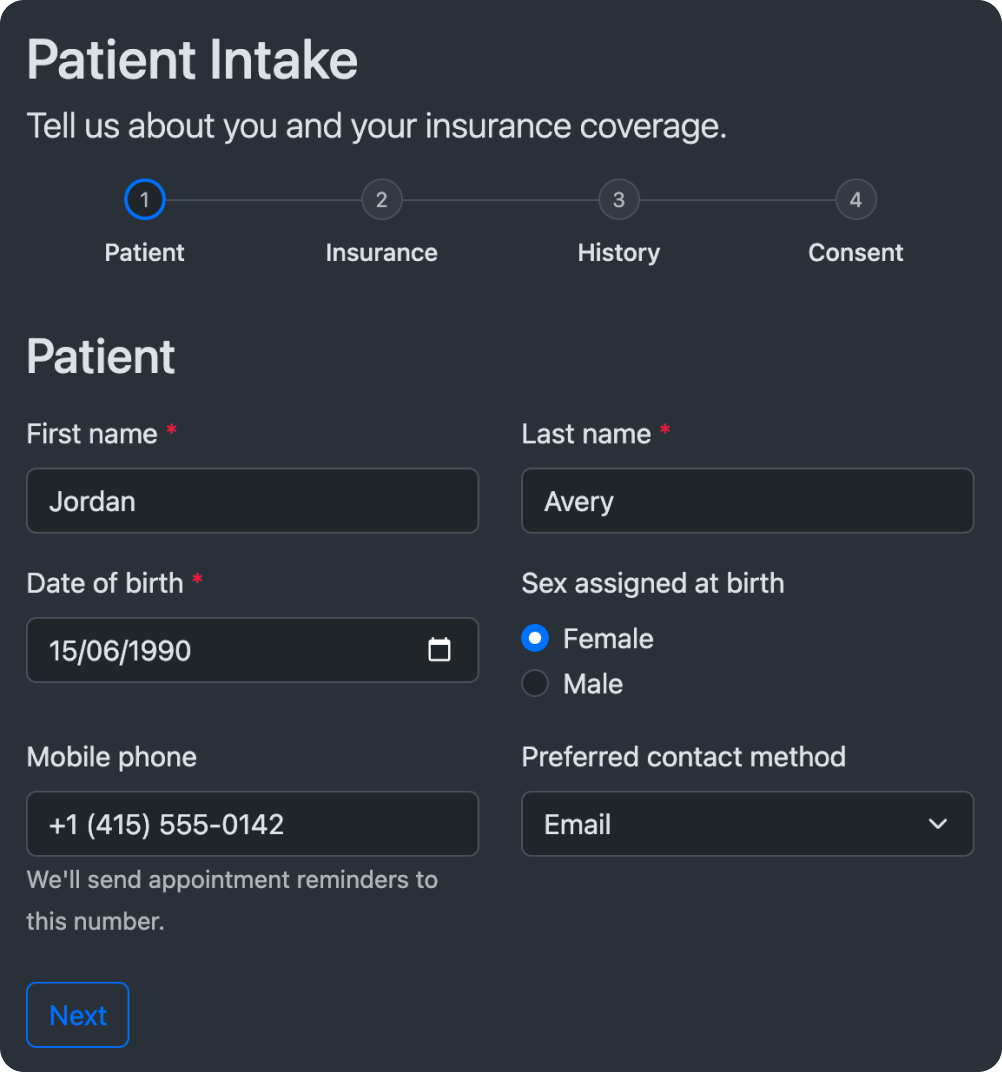
The adapter maps SurveyJS design tokens to Bootstrap CSS variables rather than fixed color values. When your application switches color modes or loads another compatible Bootstrap theme, the active --bs-* values change. SurveyJS components resolve the same mappings against the new values and update automatically.
Light Mode
Bootstrap Light
- --bs-primary: #0d6efd
- --bs-body-bg: #ffffff
- --bs-border-radius: .375rem
bootstrap-default.css
Adapter mapping
- --sjs2-color-bg-brand-primary: var(--bs-primary);
- --sjs2-color-bg-basic-primary: var(--bs-body-bg);
- --sjs2-radius-form: var(--bs-border-radius);
Dark Mode
Bootstrap Dark
- --bs-primary: #6ea8fe
- --bs-body-bg: #212529
- --bs-border-radius: .375rem
bootstrap-default.css
Adapter mapping
- --sjs2-color-bg-brand-primary: var(--bs-primary);
- --sjs2-color-bg-basic-primary: var(--bs-body-bg);
- --sjs2-radius-form: var(--bs-border-radius);
Resolution Chain
SurveyJS Component rule
Adapter mapping
Active Bootstrap value
Resolved value
What the Adapter can Match Automatically
The adapter maps available Bootstrap variables and supplies Bootstrap-compatible styles where SurveyJS has no direct Bootstrap counterpart.
| Area | Examples |
|---|---|
| Colors | Brand, text, background, states |
| Typography | Font families, sizes, weights |
| Borders | Color, radius, focus ring |
| Radius | Global radius scale |
| Buttons | Primary, secondary, outline, link |
| Standard Form Controls | Inputs, radio buttons, checkboxes, selects, textareas |
| Cards & Panels | Backgrounds, borders, spacing |
| Light / Dark Modes | Automatic through Bootstrap 5.3 data-bs-theme and CSS variables |
What Remains Application-Specific
Use small token overrides for choices your application owns.
- Use Bootstrap utilities in the surrounding application layout
- Adjust container padding if your layout requires it
- Style custom stepper or progress indicators
- Tweak theme-specific heading sizes

/* survey-overrides.css */

/* Use your own typography */
.sd-body {
  font-size: 16px;
  color: var(--bs-secondary-text-emphasis);
}

/* Custom padding */
.sd-container {
  padding: 16px var(--bs-gutter-x);
}

/* Custom stepper indicator color */
.sd-navigation__progress__circle {
  background-color: var(--bs-primary);
}
When the Bootstrap Adapter is a Good Fit
The Bootstrap adapter covers styles defined by Bootstrap. Application-specific layout rules, custom components, and proprietary design tokens require explicit overrides. As the application moves further away from standard Bootstrap, the adapter can automate less.
| Your Application | What the Adapter Does | What You Need to Do | |
|---|---|---|---|
| Standard Bootstrap 5.3+ or supported Bootswatch theme | Maps SurveyJS tokens and component styles to the standard Bootstrap theme | Import the matching adapter | |
| Bootstrap with custom colors, utilities, or layout conventions | Inherits standard variables but cannot infer proprietary wrappers, layout rules, or components | Add small SurveyJS token overrides | |
| Heavily modified Bootstrap or a custom design system | Provides a starting point, but cannot infer application-specific design tokens and styling rules | Use the SurveyJS styling skill and MCP server to help your AI coding agent analyze the app's design tokens and generate a CSS token mapping |


Render Bootstrap-Styled Forms from JSON
Bootstrap defines the visual language. SurveyJS renders the form and executes its JSON-defined behavior.
import { Component } from "@angular/core";
import { Model } from "survey-core";
import "bootstrap/dist/css/bootstrap.min.css";
import "survey-core/survey-core.css";
import "survey-core/themes/adapters/bootstrap-default.css";

const surveyJson = {
  elements: [{
    name: "FirstName",
    title: "Enter your first name:",
    type: "text"
  }, {
    name: "LastName",
    title: "Enter your last name:",
    type: "text"
  }, {
    name: "PreferredContactMethod",
    title: "Preferred contact method",
    type: "radiogroup",
    choices: ["Email", "Phone"]
  }]
};

@Component({
  selector: "app-survey",
  template: `<survey [model]="surveyModel"></survey>`
})
export class SurveyComponent {
    surveyModel = new Model(surveyJson);
}
import { Model } from "survey-core";
import { Survey } from "survey-react-ui";
import "bootstrap/dist/css/bootstrap.min.css";
import "survey-core/survey-core.css";
import "survey-core/themes/adapters/bootstrap-default.css";

const surveyJson = {
  elements: [{
    name: "FirstName",
    title: "Enter your first name:",
    type: "text"
  }, {
    name: "LastName",
    title: "Enter your last name:",
    type: "text"
  }, {
    name: "PreferredContactMethod",
    title: "Preferred contact method",
    type: "radiogroup",
    choices: ["Email", "Phone"]
  }]
};

export function SurveyComponent() {
    const survey = new Model(surveyJson);
    return <Survey model={survey} />;
}
<template>
  <SurveyComponent :model="survey" />
</template>

<script setup>
import { Model } from "survey-core";
import { SurveyComponent } from "survey-vue3-ui";
import "bootstrap/dist/css/bootstrap.min.css";
import "survey-core/survey-core.css";
import "survey-core/themes/adapters/bootstrap-default.css";

const surveyJson = {
  elements: [{
    name: "FirstName",
    title: "Enter your first name:",
    type: "text"
  }, {
    name: "LastName",
    title: "Enter your last name:",
    type: "text"
  }, {
    name: "PreferredContactMethod",
    title: "Preferred contact method",
    type: "radiogroup",
    choices: ["Email", "Phone"]
  }]
};

const survey = new Model(surveyJson);
</script>
import { Model } from "survey-core";
import "bootstrap/dist/css/bootstrap.min.css";
import "survey-core/survey-core.css";
import "survey-core/themes/adapters/bootstrap-default.css";

const surveyJson = {
  elements: [{
    name: "FirstName",
    title: "Enter your first name:",
    type: "text"
  }, {
    name: "LastName",
    title: "Enter your last name:",
    type: "text"
  }, {
    name: "PreferredContactMethod",
    title: "Preferred contact method",
    type: "radiogroup",
    choices: ["Email", "Phone"]
  }]
};

const survey = new Model(surveyJson);

$(function () {
  $("#surveyContainer").Survey({ model: survey });
});
import { Model } from "survey-core";
import "bootstrap/dist/css/bootstrap.min.css";
import "survey-core/survey-core.css";
import "survey-core/themes/adapters/bootstrap-default.css";

const surveyJson = {
  elements: [{
    name: "FirstName",
    title: "Enter your first name:",
    type: "text"
  }, {
    name: "LastName",
    title: "Enter your last name:",
    type: "text"
  }, {
    name: "PreferredContactMethod",
    title: "Preferred contact method",
    type: "radiogroup",
    choices: ["Email", "Phone"]
  }]
};

const survey = new Model(surveyJson);
survey.render(document.getElementById("surveyContainer"));
Conditional Logic
Show, hide, enable, or require fields based on answers.
Multi-Page Forms
Break complex forms into steps with progress.
Dynamic Panels
Add, remove, and reorder repeatable groups.
Validation
Built-in validation and custom rules with clear error messages.
Localization
Translate content and validation into any language.
Read-Only Modes
Display submitted data or lock sections when needed.
Add a Drag-and-Drop Bootstrap Form Builder
Embed a visual form builder in your application so non-developers can create and update form schemas. The Bootstrap adapter keeps Survey Creator look consistent with the rest of your UI.

- Embed Survey Creator
- Save JSON schema to your backend
- Use Form Library to render the schema
- Keep authentication and permissions in your app
Fits Your Application and Backend
SurveyJS runs as client-side libraries in the browser. Schemas and responses are plain JSON you send to your own API and store in your own database.
Browser
Themes + Components
Survey Creator (builder) + Form Library (renderer)


JSON
Your API
Your Database
-
Client-side libraries
Run entirely in the browser.
-
Store schemas and responses anywhere
Use your existing API and database.
-
No required hosted form service
Keep control, privacy, and compliance.

Frequently Asked Questions
Can I use SurveyJS with Bootstrap 5?
Can I use SurveyJS with Bootstrap 5?
Yes. SurveyJS provides theme adapters for Bootstrap 5.3 and supported Bootswatch themes. The adapter maps SurveyJS design tokens to Bootstrap CSS variables so SurveyJS forms and Survey Creator follow your application’s typography, colors, borders, radii, and standard control styles.
Does SurveyJS render Bootstrap components?
Does SurveyJS render Bootstrap components?
No. SurveyJS continues to render its own components, HTML structure, and CSS classes. The adapter changes the design-token values that SurveyJS component styles consume. It does not replace SurveyJS controls with Bootstrap or React Bootstrap components.
Can I build dynamic Bootstrap forms from JSON?
Can I build dynamic Bootstrap forms from JSON?
Yes. SurveyJS Form Library renders dynamic forms from JSON schemas and can style them to match Bootstrap through the theme adapter. The schema can define fields, pages, validation, conditional logic, calculated values, repeatable sections, and other form behavior.
Can I style Survey Creator to match Bootstrap?
Can I style Survey Creator to match Bootstrap?
Yes. Import the Bootstrap theme adapter to make Survey Creator follow your application’s Bootstrap typography, colors, borders, radii, and other supported styles. The adapter maps SurveyJS design tokens to Bootstrap CSS variables, so the builder and its form preview remain visually consistent with the rest of your application.
Does the adapter work with React Bootstrap?
Does the adapter work with React Bootstrap?
Yes. React Bootstrap renders components that use Bootstrap’s styles and CSS variables. The SurveyJS adapter reads those same Bootstrap variables, so SurveyJS can match a React Bootstrap application without replacing its controls with React Bootstrap components.
Which Bootswatch themes are supported?
Which Bootswatch themes are supported?
SurveyJS provides adapters for Cosmo, Darkly, Flatly, Litera, Lux, Morph, and Zephyr, as well as standard Bootstrap. Import the single adapter file that matches the Bootstrap or Bootswatch build used by your application.
Does the Bootstrap adapter support dark mode?
Does the Bootstrap adapter support dark mode?
Yes. The adapter supports Bootstrap 5.3 color modes. When your application changes the active data-bs-theme value, Bootstrap updates its CSS variables and SurveyJS resolves its mapped design tokens against the new values. No separate SurveyJS theme switch is required.
Can I use a customized Bootstrap theme?
Can I use a customized Bootstrap theme?
Yes, provided the theme preserves Bootstrap’s standard --bs-* CSS-variable contract. Custom colors and compatible value changes usually propagate to SurveyJS automatically. Application-specific typography, spacing, layout, or component rules may require additional SurveyJS token overrides.
What if my application uses a separate design system built on Bootstrap?
What if my application uses a separate design system built on Bootstrap?
The standard adapter cannot infer styles defined outside Bootstrap's standard CSS variables. Install the SurveyJS styling skill and connect the SurveyJS MCP server to give your AI coding agent the required theming context. The agent can then analyze your application’s design tokens and generate a small CSS file that maps them to SurveyJS design tokens. Review and test the generated mappings in all relevant component states before using them in production.
Do I need custom CSS?
Do I need custom CSS?
Not for a standard Bootstrap 5.3 application or a supported Bootswatch theme. You may need a small override stylesheet if your application relies on optional utilities, custom container spacing, proprietary components, or layout patterns that are not part of Bootstrap’s standard component styles.
Can I store form schemas and responses in my own database?
Can I store form schemas and responses in my own database?
Yes. SurveyJS is backend-agnostic. You can send form schemas and response data as JSON to any API and store them in your own database. SurveyJS does not require a hosted form service or a SurveyJS-managed backend.
Is the Bootstrap form-rendering library open source?
Is the Bootstrap form-rendering library open source?
Yes. SurveyJS Form Library is free and open source under the MIT license. It renders Bootstrap-styled forms and collects responses in the browser. Survey Creator, the drag-and-drop form builder, is a commercial product and requires a developer license for production use.
Does Survey Creator generate Bootstrap HTML?
Does Survey Creator generate Bootstrap HTML?
No. Survey Creator generates a reusable SurveyJS JSON schema rather than static Bootstrap HTML. SurveyJS Form Library reads that schema at runtime and renders the form. The Bootstrap adapter then styles the rendered SurveyJS components to match Bootstrap.
Add Form Building to Your Bootstrap Application
Install SurveyJS, import the Bootstrap adapter, and ship production-ready forms.